HAPiyoAI
PiyoAI in your Home Assistant sidebar. Camera dashboard, detection log, and HA entities — natively integrated.
Connects to a running PiyoAI instance on your network, subscribes to its MQTT broker for camera images and detections, and exposes per-camera binary sensors in Home Assistant.
AI Detection Meets Home Automation
Everything you need to bring PiyoAI camera detections into your Home Assistant setup.
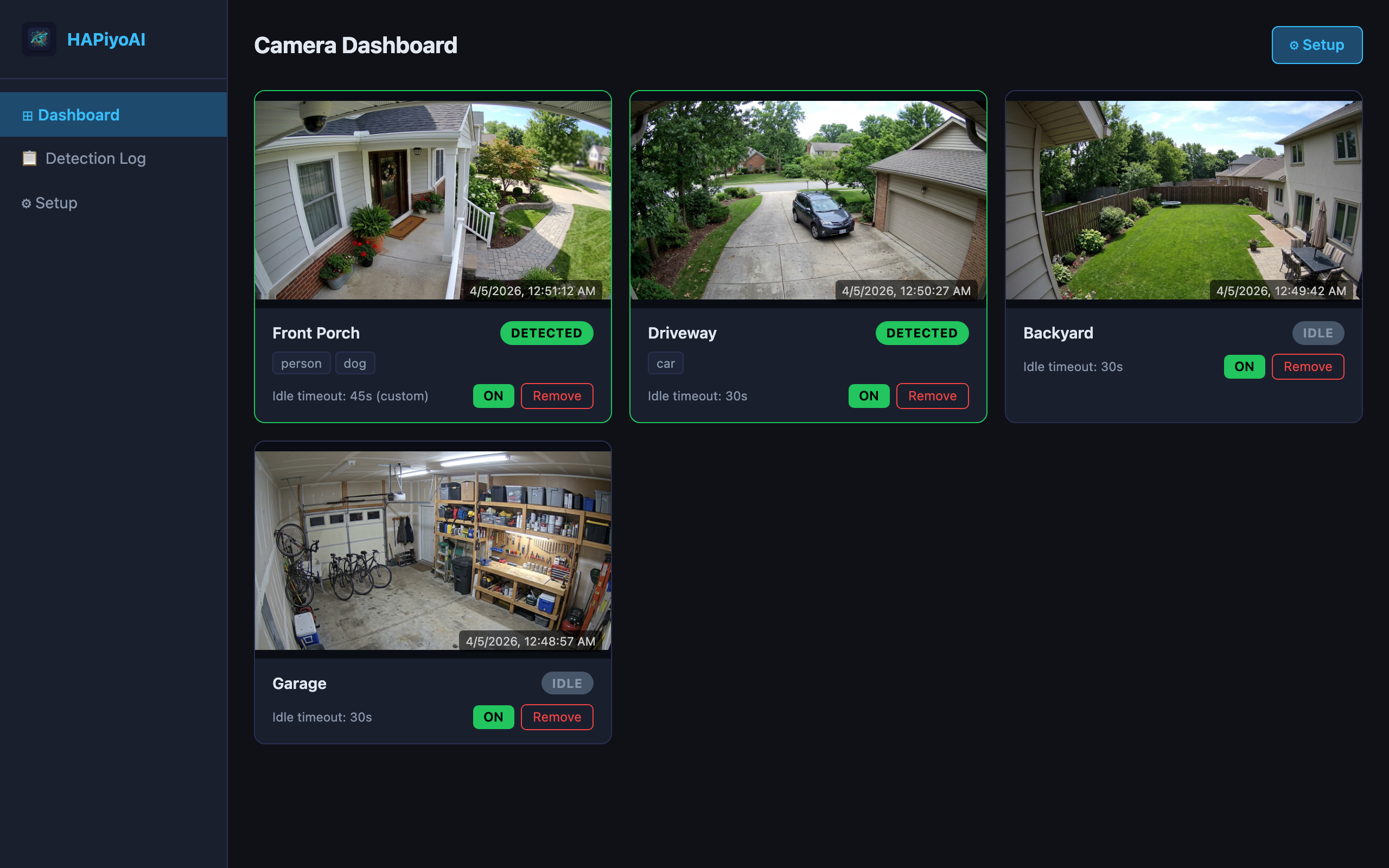
Camera Dashboard
Live grid of all cameras with latest images, detected/idle badges, and object class chips. Right in the HA sidebar.
Detection Log
Chronological event history with camera filter and pagination. See exactly what was detected and when.
HA Binary Sensors
Per-camera binary_sensor entities with detected objects, last image, and timestamp attributes.
Easy Discovery
One-click camera discovery from PiyoAI. Select which cameras to install, configure per-camera idle timeouts.
MQTT Bridge
Subscribes directly to PiyoAI's MQTT broker. No dependency on HA's Mosquitto add-on — works standalone.
Camera Control
Enable or disable detection per camera directly from the dashboard. Status stays in sync with PiyoAI in real time.
Inside the Add-on
All Cameras at a Glance
A responsive grid showing every camera with its latest image, detection state badge, detected object chips, idle timeout, and enable/disable toggle.
- Live image updates via MQTT
- Detected/Idle badges with object class chips
- ON/OFF toggle synced with PiyoAI
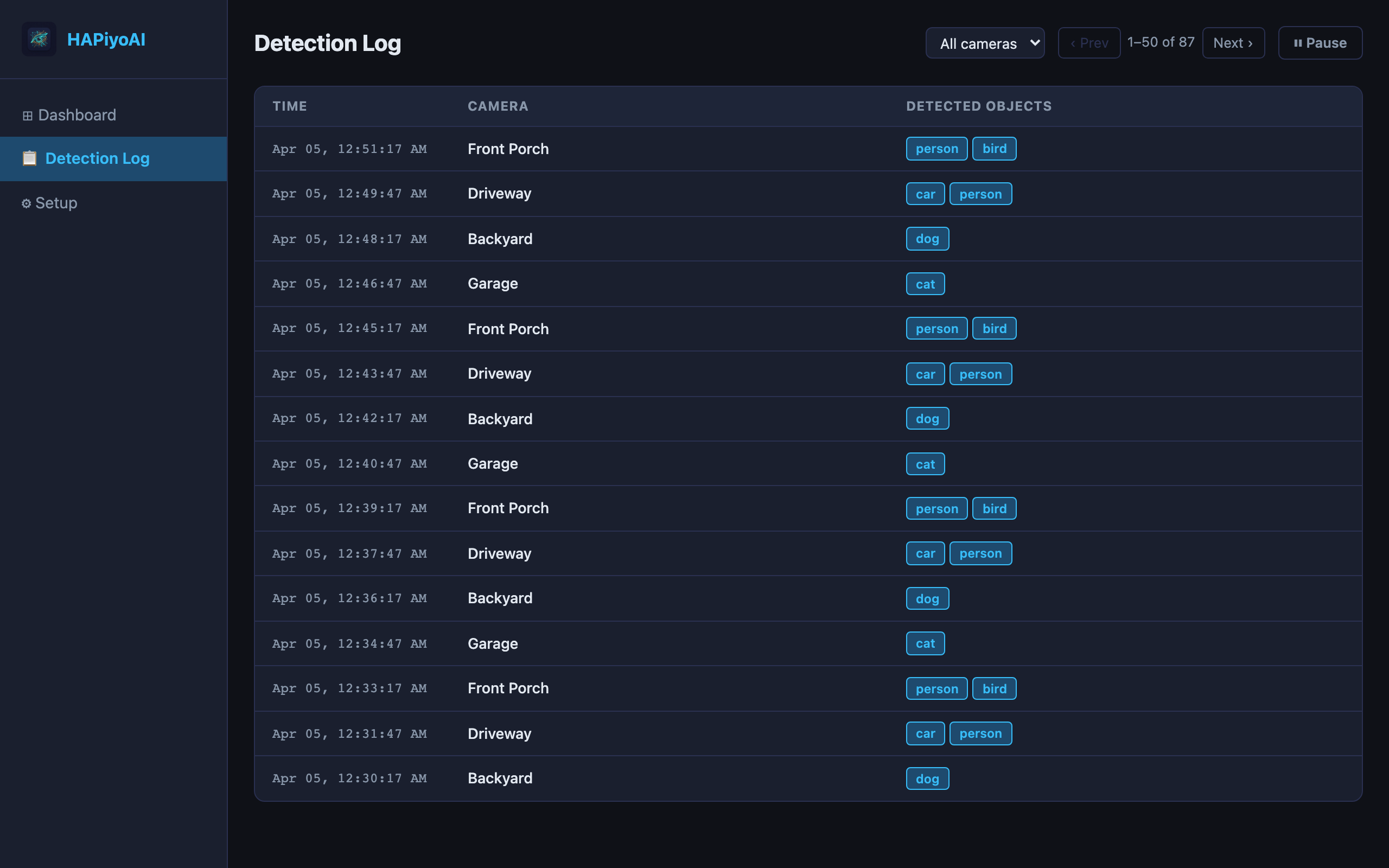
What Was Detected, When
Chronological table of all detection events with timestamps, camera names, and detected object chips. Filter by camera and paginate through history.
- Camera filter dropdown
- Pause/resume live polling
- Configurable log retention
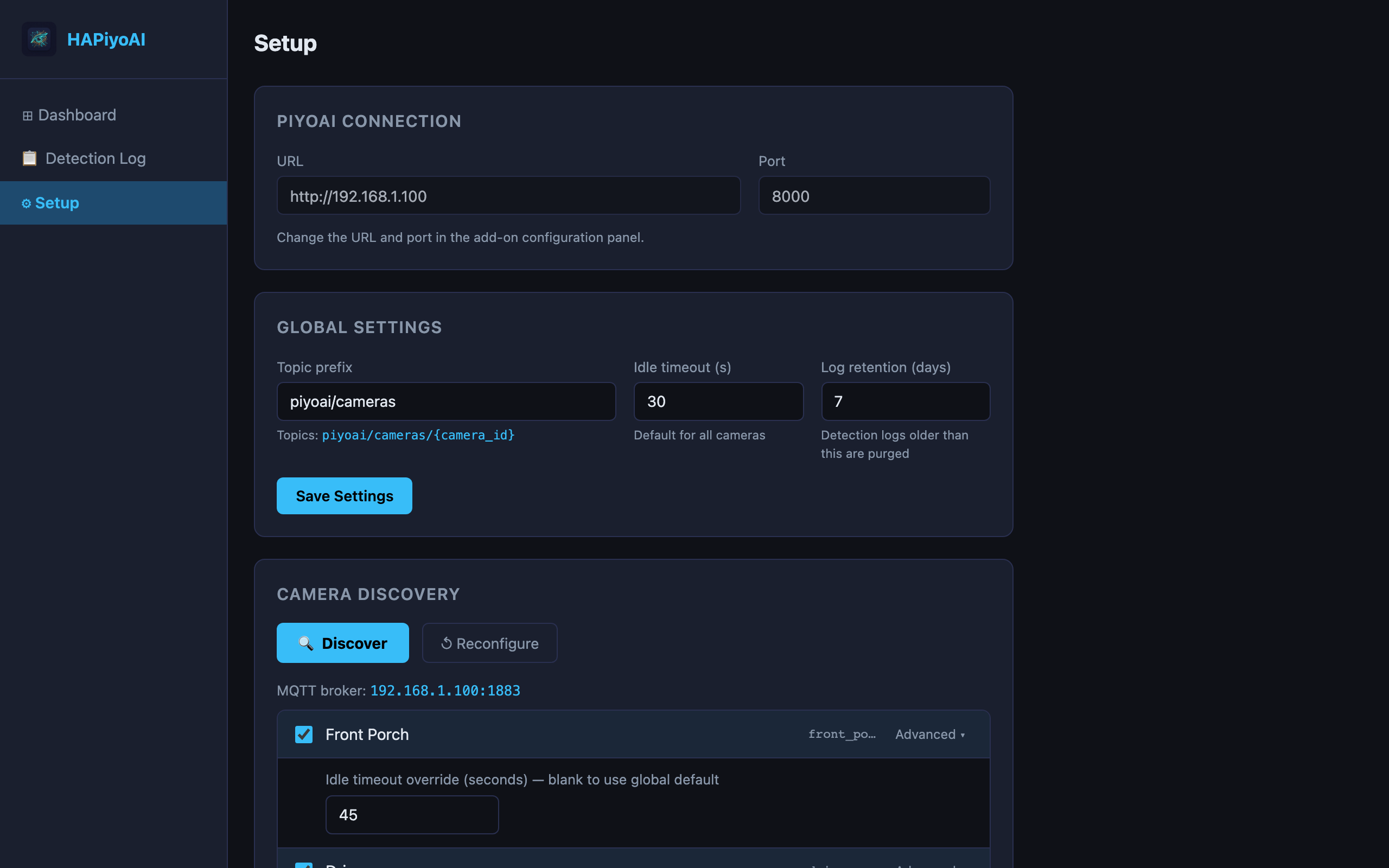
Discover and Install in Seconds
Point at your PiyoAI instance, click Discover, select cameras, and Install. Per-camera idle timeouts and MQTT topics are configured automatically.
- One-click camera discovery from PiyoAI
- Per-camera idle timeout override
- MQTT broker auto-configured from PiyoAI
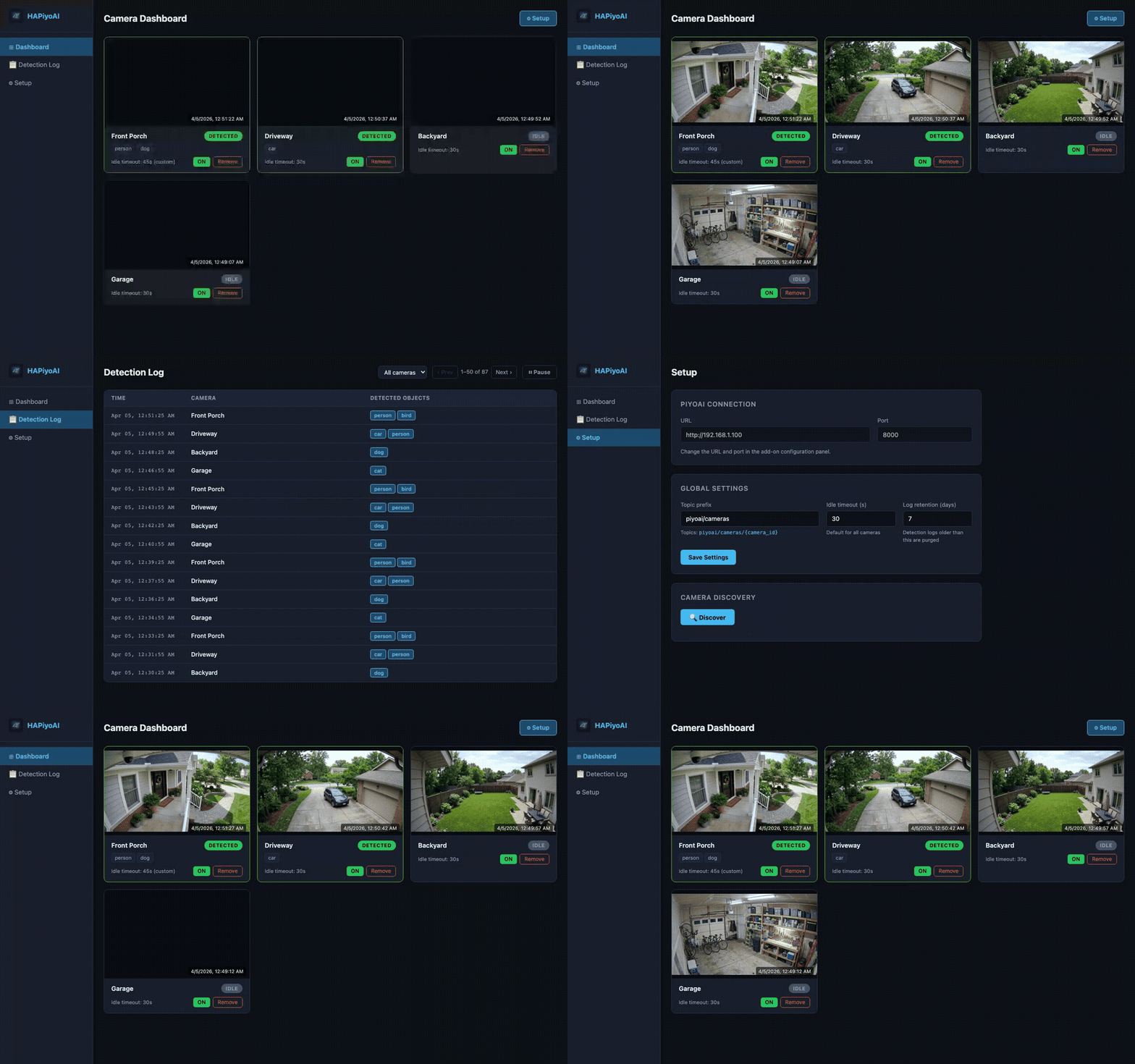
Take a Tour
See the dashboard, detection log, and setup flow in action.
How It Works
PiyoAI does the AI. HAPiyoAI brings it into Home Assistant.
1. PiyoAI
Runs YOLO inference on your network and publishes results via MQTT
2. MQTT
Images and detection JSON delivered to HAPiyoAI via MQTT topics
3. Home Assistant
Dashboard, detection log, and binary_sensor entities in your HA sidebar
Requirements
HAPiyoAI requires a running PiyoAI instance on your network with MQTT enabled. The add-on connects to PiyoAI over HTTP and subscribes to its MQTT broker.
Get Started with PiyoAI
HAPiyoAI is included free with every PiyoAI purchase. Get PiyoAI from * or the VizMux + PiyoAI combo from *.
*Basic tier. See all tiers on the pricing page.