VizMux
Lightweight, reliable motion detection for your IP cameras. No video recording, no heavy NVR — just fast snapshots when it matters.
Connects to any RTSP camera, runs server-side motion detection with configurable sensitivity and polygon masks, and outputs snapshot images on motion events. Pairs with PiyoAI for AI-powered object detection.
See the full diagram: NVR recording + VizMux motion + PiyoAI and Home Assistant.
*Starting price. See full pricing & tiers.
**All security camera footage shown in the demo is mock data.
Everything You Need for Camera Motion Detection
Purpose-built to be lightweight and reliable. VizMux focuses on what it does best and delegates AI inference to PiyoAI.
Multi-Camera RTSP
Connect unlimited IP cameras via RTSP. Substream-first design keeps bandwidth and CPU usage low.
3 Detection Methods
EMA, MOG2, or KNN — each optimized for different environments. Selectable per camera with data-driven recommendations.
Polygon Masks
Draw exclusion zones directly in the browser. Normalized coordinates survive resolution changes.
Camera Scheduling
Set time windows per camera. Only detect motion when you need it — save resources and reduce noise.
Blue Iris Import
Already have a Blue Iris NVR? Import your cameras with one click — RTSP URLs auto-detected.
PiyoAI Integration
Pair with PiyoAI for YOLO object detection, MQTT alerts, and Telegram notifications. PiyoAI can run on a separate machine on your network.
AI Agent
Bring your own Gemini, OpenAI, or Anthropic key. Quick analysis and chat on Correlation Analytics help tune motion sensitivity from real detection data.
VizRec Integration
Pair with VizRec for on-demand and scheduled NVR recording. Configure connection and timeouts from Settings.
Self-Update
One-click updates from inside the app using your download token. Progress tracking and automatic service restart.
IP Allowlist
Lock down access to trusted IPs only. Built-in ASGI middleware — no external firewall needed.
Stats & Analytics
24-hour charts, per-camera time series, automated tuning tips, and detection method recommendations.
See It in Action
A modern, dark-themed web UI that runs in any browser. Manage all your cameras from one place.
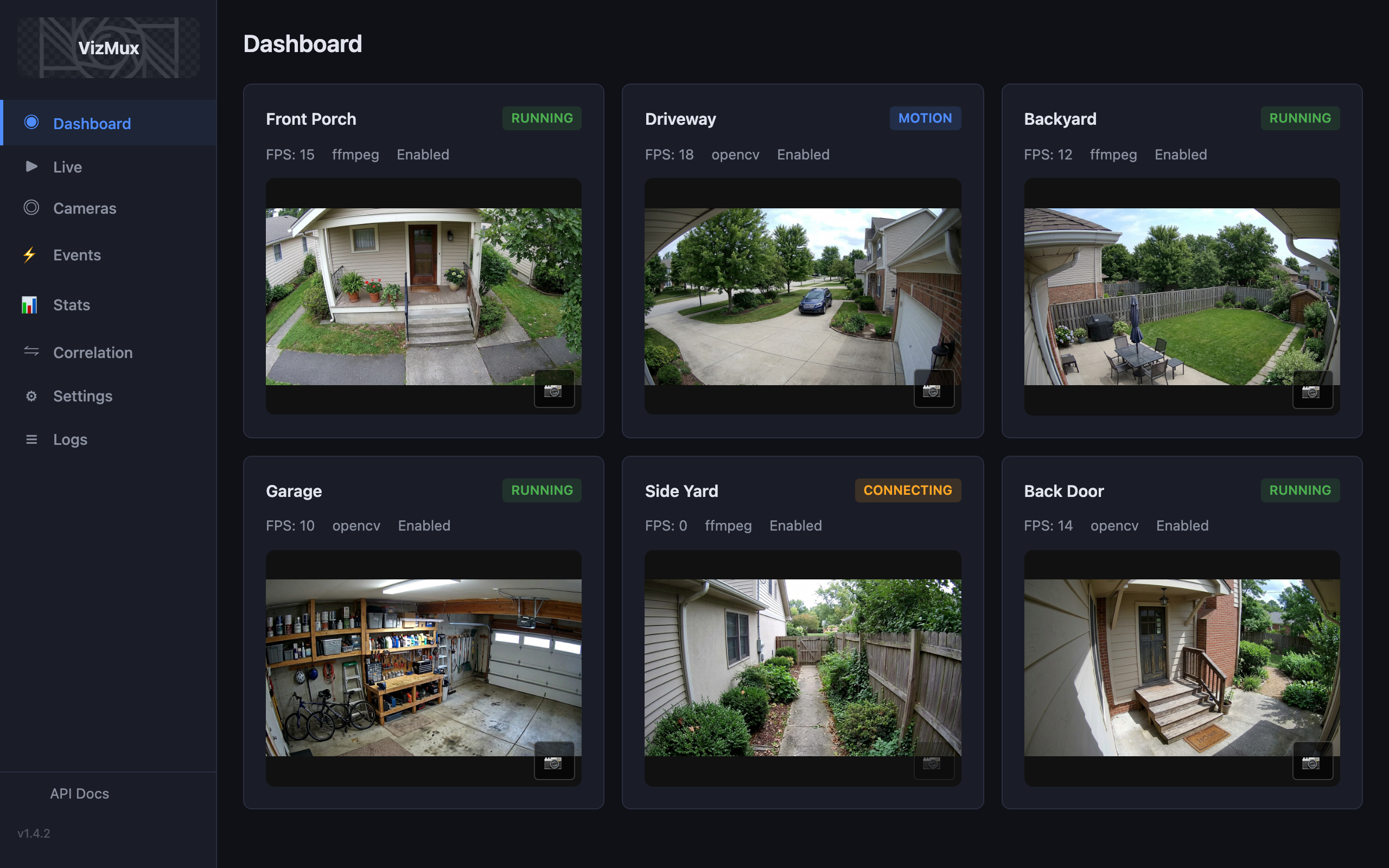
Your Cameras at a Glance
A real-time grid of all connected cameras with live thumbnails, colored status badges (running, motion detected, stopped, error), FPS counters, and one-click snapshot capture.
- Persistent thumbnails with one-click capture
- Real-time status: running, motion, stopped, error
- FPS and capture backend displayed per camera
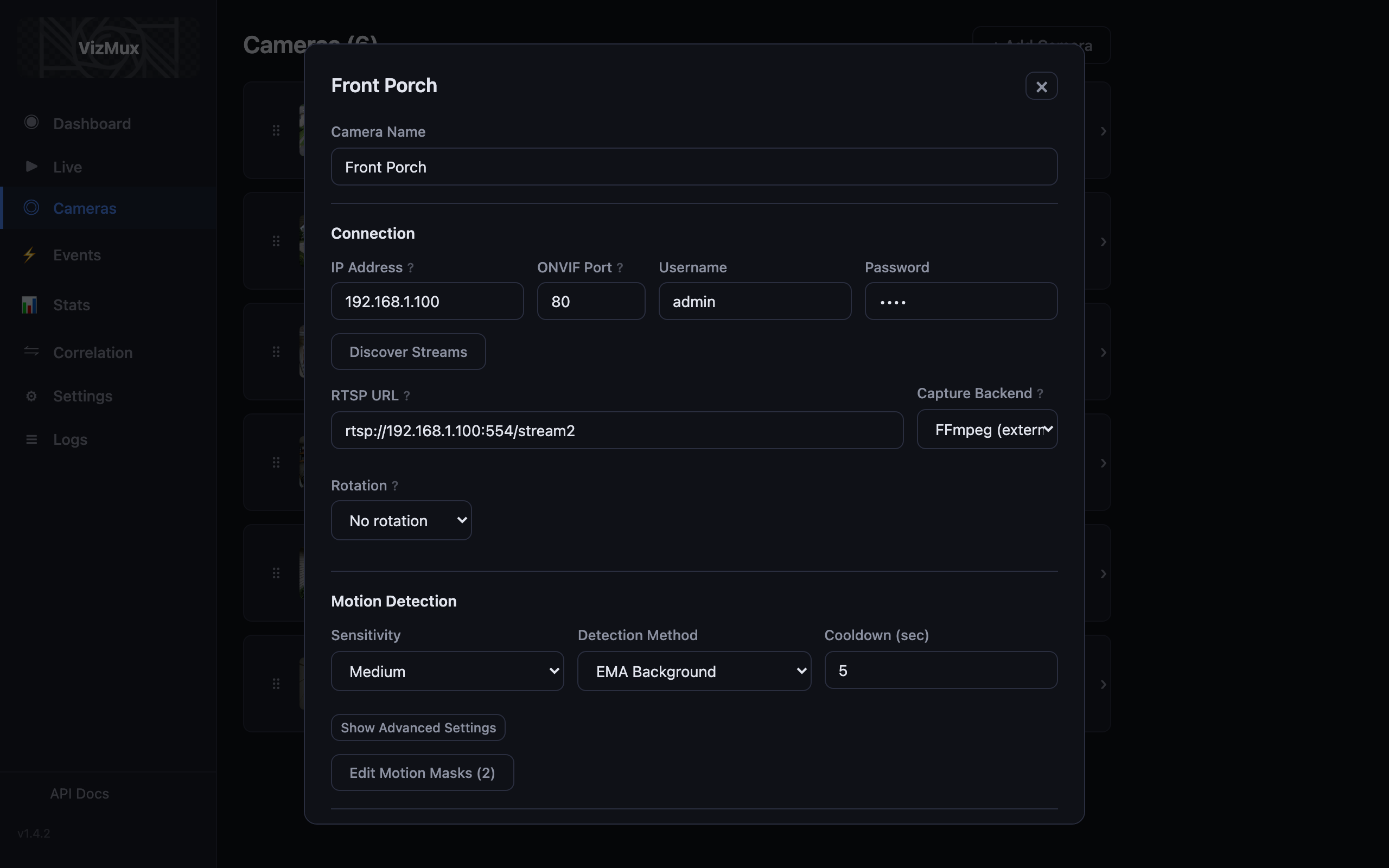
Fine-Tuned Per Camera
Configure every aspect of each camera: RTSP URL, capture backend (FFmpeg or OpenCV), rotation, ONVIF stream probing, and detailed motion detection settings.
- Interactive polygon mask editor (draw exclusion zones)
- Sensitivity presets: Low, Medium, High, Very High
- ONVIF auto-probe for stream profile discovery
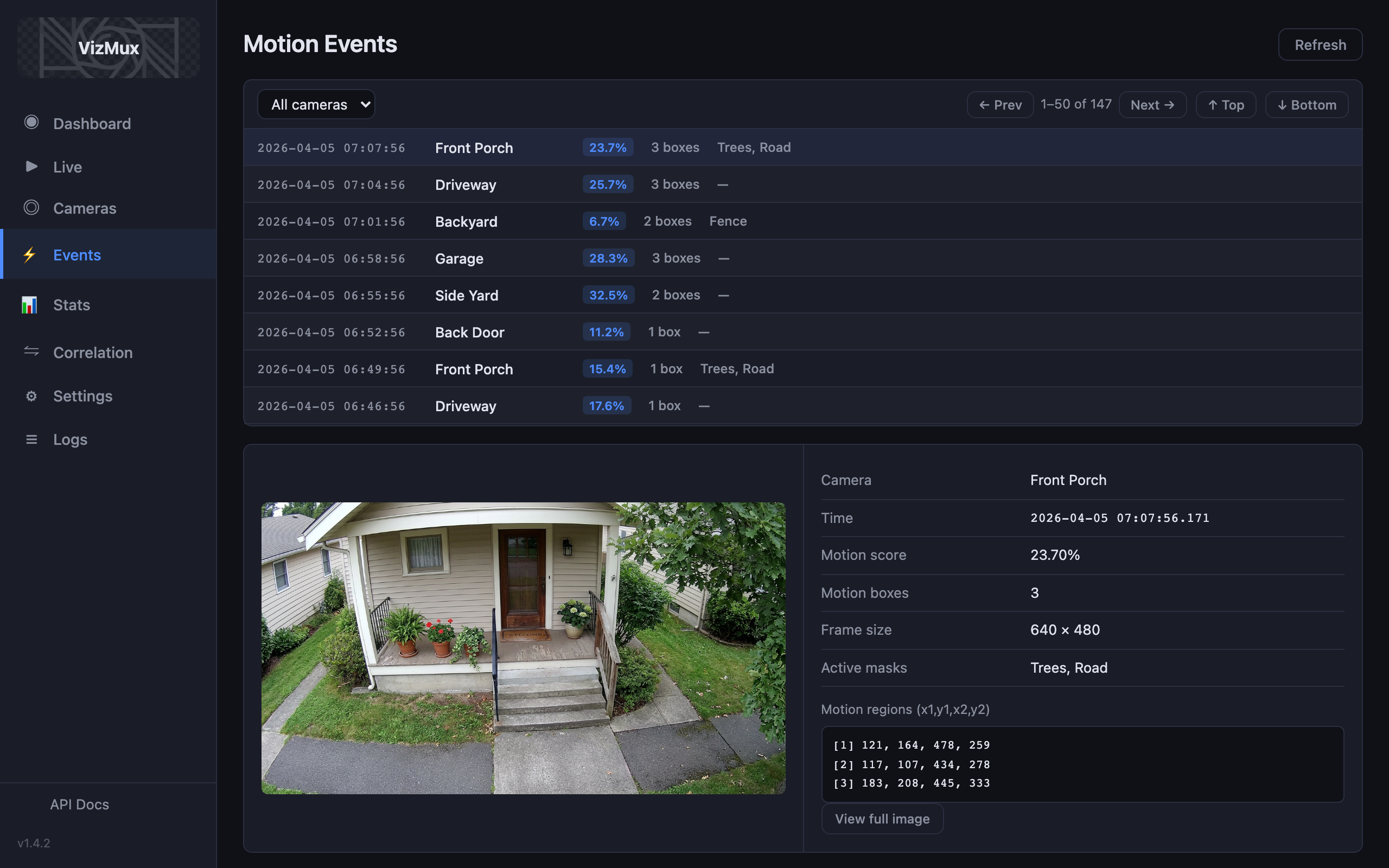
Browse Every Motion Event
A two-panel event browser with server-side pagination and camera filtering. Click any event to see the snapshot with motion bounding boxes overlaid.
- Scrollable list with timestamp, score, and thumbnail
- Full-size snapshot with fullscreen zoom
- Metadata: motion score, box count, active masks
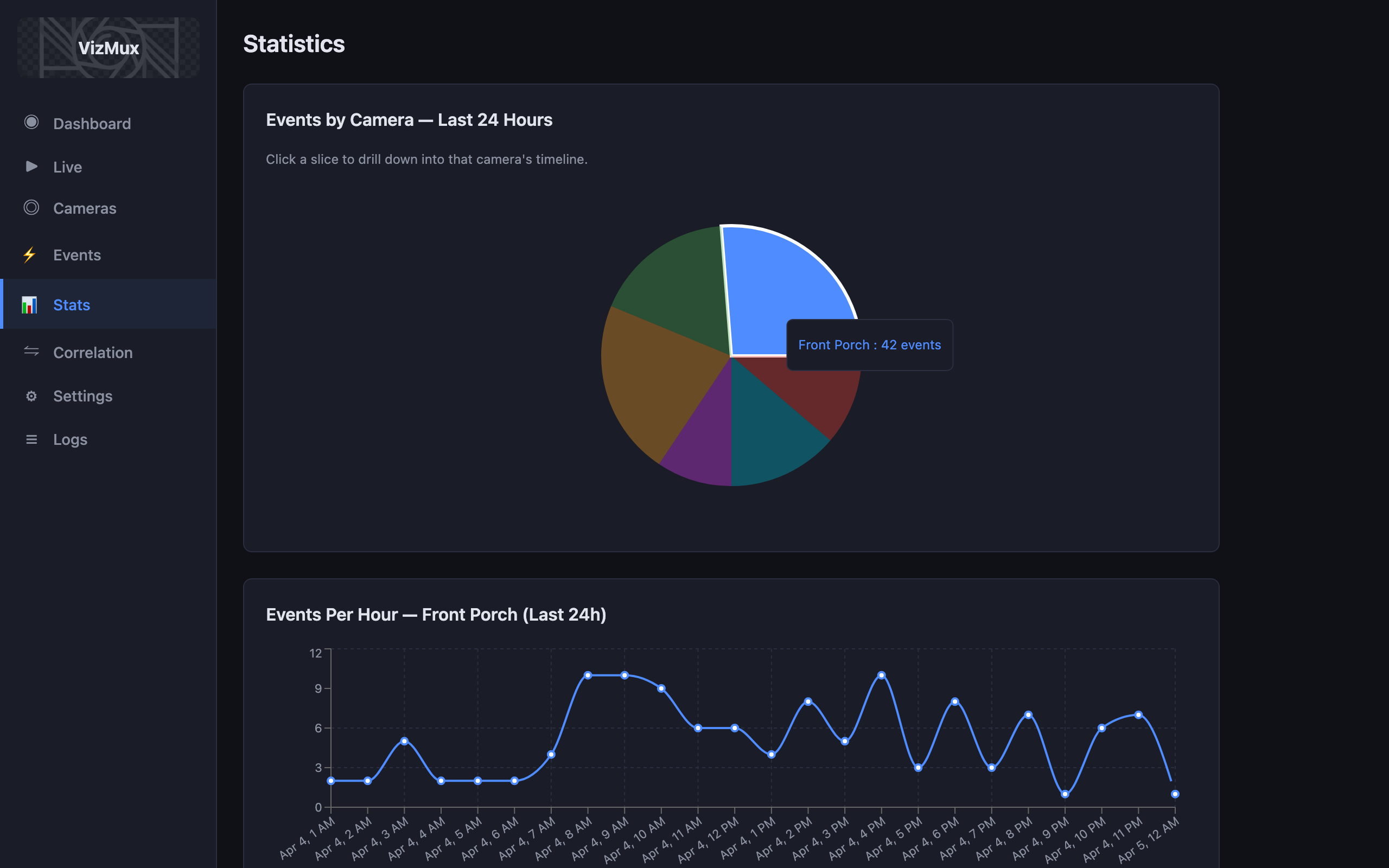
Data-Driven Tuning
Understand your motion patterns with 24-hour charts, per-camera time series, and automated tuning tips that help you pick the right detection method.
- Pie chart of events by camera (click to drill down)
- Per-camera events/hour and motion score trends
- Automated EMA vs MOG2 vs KNN recommendations
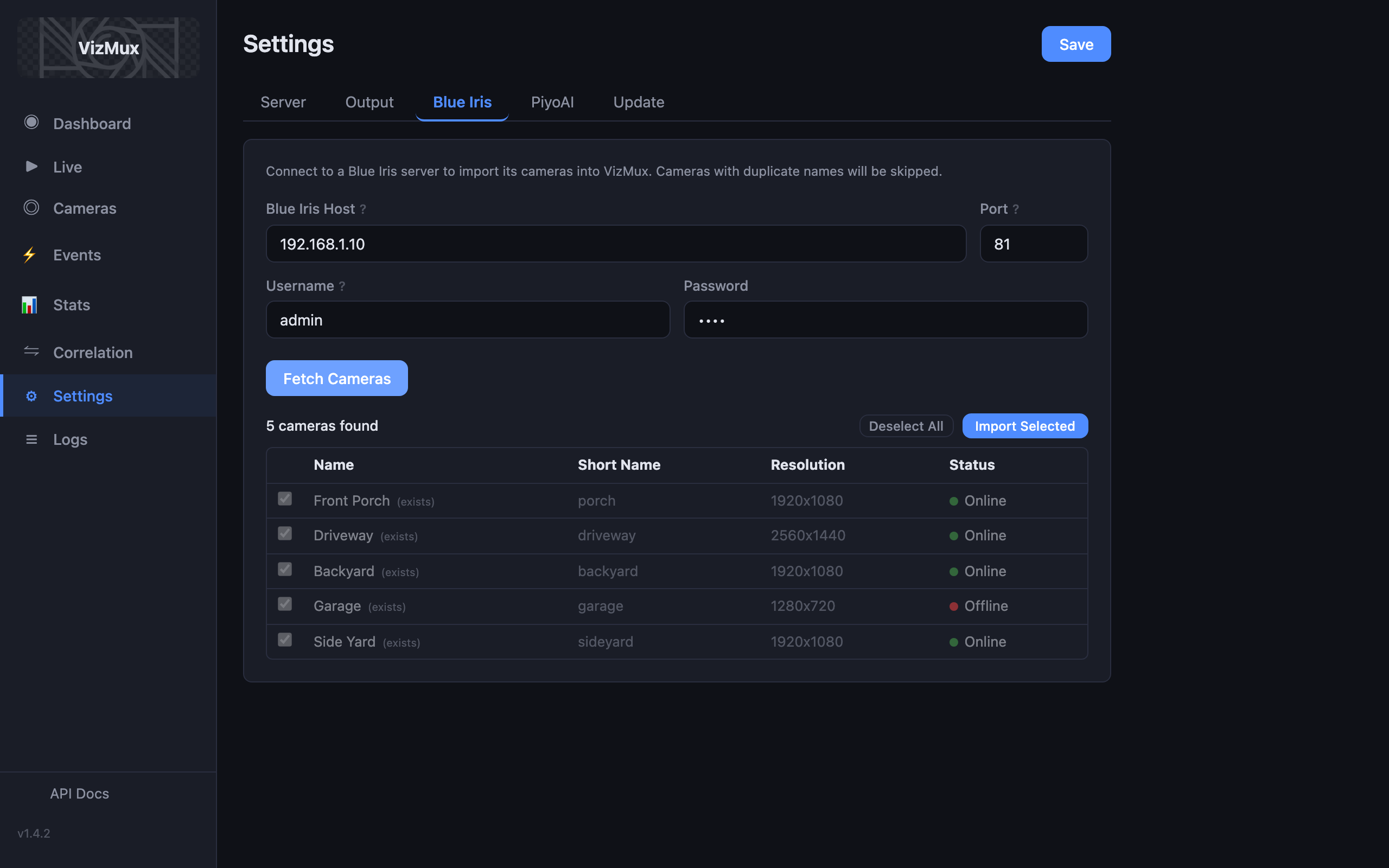
Quick Setup, Deep Control
Tabbed settings for server, AI Agent, output paths, Blue Iris integration, PiyoAI and VizRec connection, and self-updates. Import cameras from Blue Iris in seconds.
- One-click Blue Iris camera import
- PiyoAI local/remote mode auto-detection
- In-app self-update with progress tracking
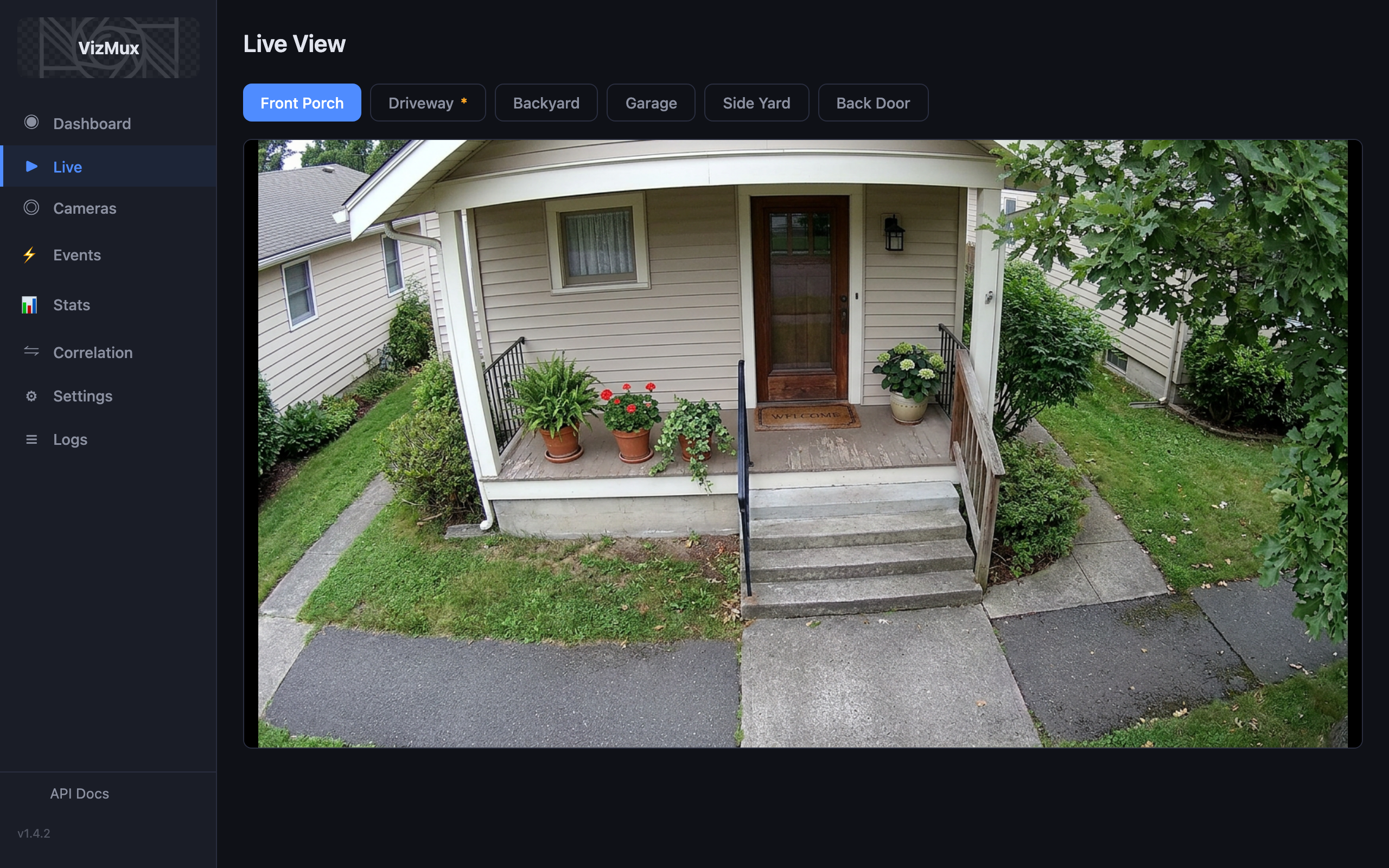
Watch Any Camera Live
Full-screen MJPEG live streaming with camera selector, FPS counter, and detection method badge. Check what’s happening right now without leaving the app.
- Full-width MJPEG stream in the browser
- Camera selector and status overlay
- No plugins needed — works in any modern browser
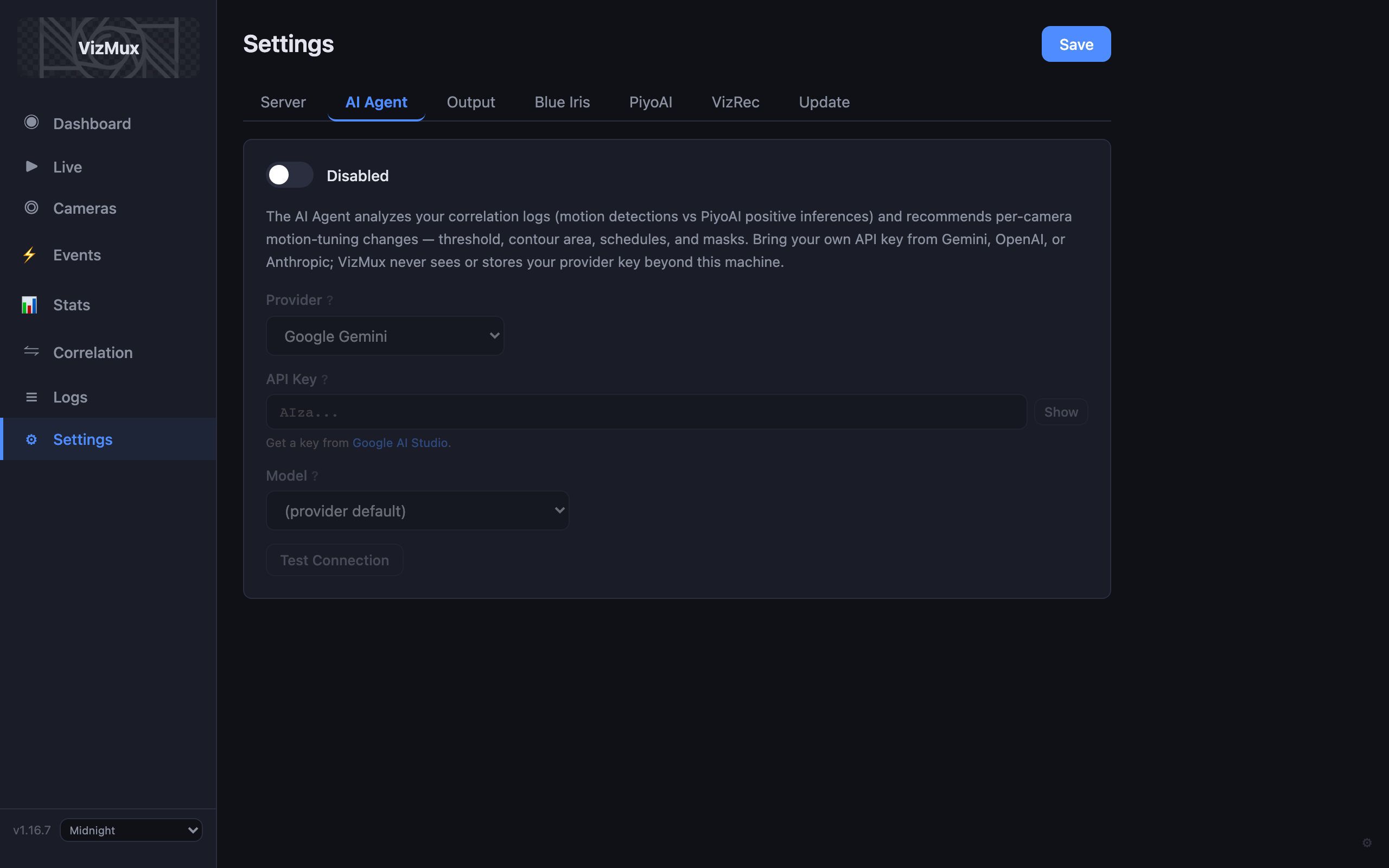
LLM-Powered Tuning Advice
Enable the AI Agent in Settings with your own API key (Gemini, OpenAI, or Anthropic). On the Correlation page, run Quick Analysis or chat to get actionable recommendations for masks, thresholds, and detection methods — VizMux never stores your key.
- One-click Quick Analysis from correlation data
- Follow-up chat for deeper tuning questions
- Test connection before saving settings
Correlation Analytics
When VizMux and PiyoAI run on the same machine, VizMux unlocks Correlation Analytics — a dedicated page that compares VizMux motion detections against PiyoAI inference results side by side.
- Per-camera positive rate: how many motion events had real objects
- Hourly time series comparing VizMux detections vs PiyoAI positives
- Object class breakdown per camera per hour
- Tune motion sensitivity based on actual detection accuracy
- Optional AI Agent: quick analysis and chat with your LLM provider
A 33% positive rate means 67% of motion events were false alarms — time to raise thresholds or add masks.
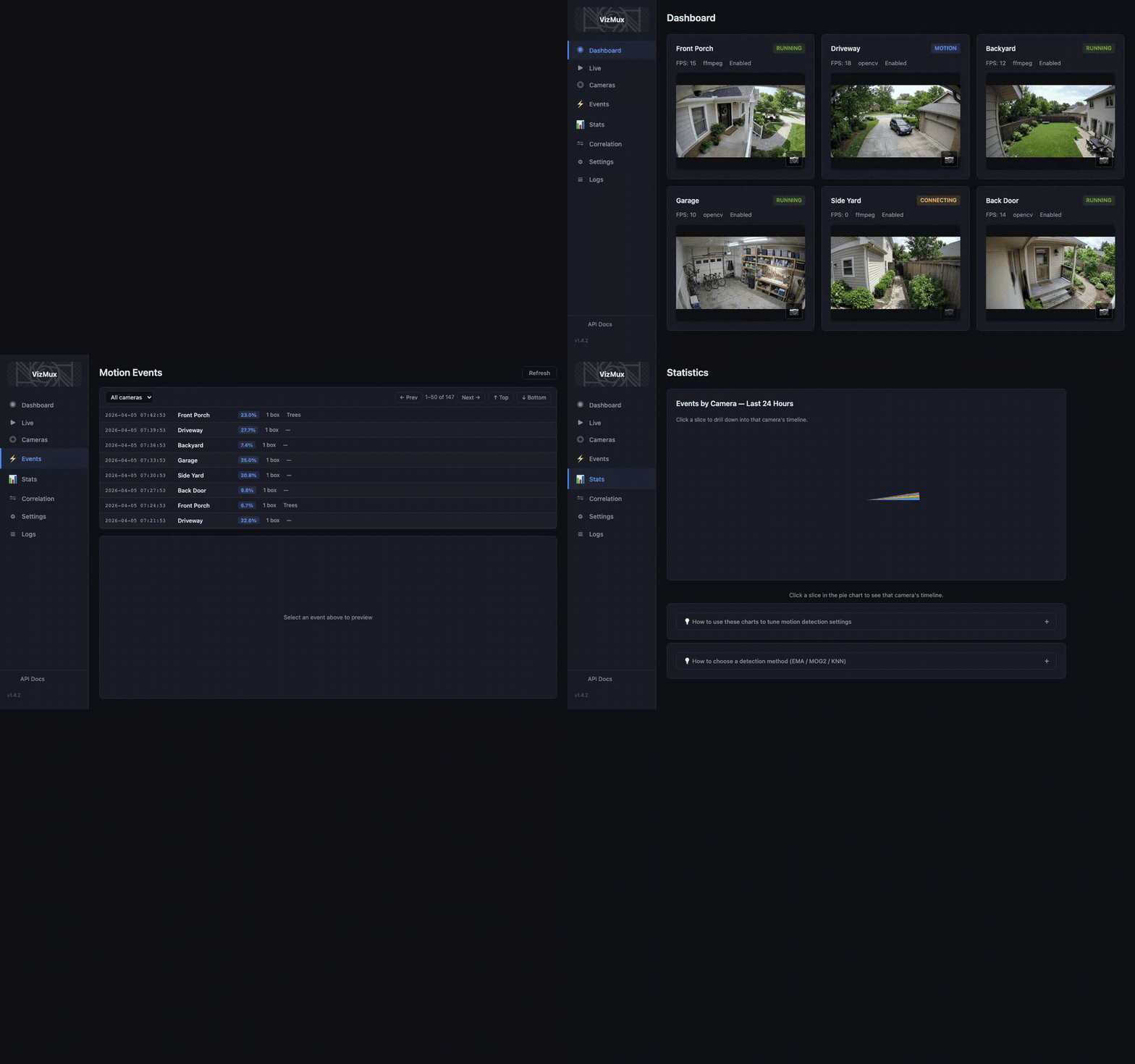
Take a Tour
Watch VizMux in action — from the camera dashboard through events, stats, and correlation analytics.
How It Works
VizMux handles motion detection. PiyoAI handles AI. A clean, reliable pipeline.
1. RTSP Ingest
Cameras stream low-bandwidth substreams to VizMux via RTSP
2. Motion Detection
EMA, MOG2, or KNN analyzes frames with masks and lightning guard
3. Snapshot Output
Motion triggers a JPEG snapshot + JSON sidecar to disk
4. PiyoAI (YOLO)
PiyoAI watches the output folder and runs AI object detection
Built for Performance
Detection Methods Compared
| Method | Best For | CPU |
|---|---|---|
| EMA | Indoor / stable lighting | Lightest |
| MOG2 | Outdoor / changing light (sunrise, sunset) | Moderate |
| KNN | Dynamic scenes (water, flags, foliage) | Moderate |
Ready to Get Started?
VizMux starts at *. Pair it with PiyoAI for the full AI-powered camera monitoring stack from *.
*Basic tier. See all tiers on the pricing page.