PiyoAI
AI-powered object detection for your security cameras. YOLO inference, smart notifications, and a powerful Telegram bot — all self-hosted.
Watches camera folders for new images, runs real-time YOLO detection, and sends alerts with annotated snapshots via MQTT and Telegram. Pairs with VizMux for motion-triggered processing.
Includes built-in face recognition with enrollment and testing tools, so you can identify known people in detections and build smarter automations.
See the full diagram: NVR + VizMux + PiyoAI + Home Assistant in one stack.
*Starting price. See full pricing & tiers.
**All security camera footage shown in the demo is mock data.
Smart Detection, Powerful Automation
From YOLO inference to Telegram alerts — PiyoAI handles the full detection pipeline.
YOLO Object Detection
Ultralytics YOLO with ONNX Runtime support. GPU-accelerated inference with CUDA when available.
Multi-Camera Watching
Watch multiple folders with per-camera class filters, confidence thresholds, and rate limits.
MQTT Notifications + Control
Per-camera MQTT topics with customizable payloads. Enable or disable cameras remotely via MQTT commands.
Telegram Bot
Detection alerts with images. Enable/disable cameras, execute custom commands, shell, HTTP calls — all from Telegram.
Model Manager
Upload models, search and download from Hugging Face Hub, convert PT to ONNX*. Test inference in the browser.
Model Scheduling
Assign different YOLO models by time of day. Use a heavier model during the day and a lighter one at night.
Training Data
Mark false positives in the detection log, export a YOLO background-image dataset, and optionally fine-tune a base model in place.
VizMux Integration
Receive motion-triggered snapshots from VizMux. Camera sync keeps both apps in lockstep. Runs on a separate machine.
Home Assistant Add-on
Run PiyoAI detection in your HA sidebar with HAPiyoAI. Camera dashboard, detection log, and HA entities.
Self-Update
One-click updates from inside the app using your download token. Progress tracking and automatic service restart.
*PT-to-ONNX conversion is performed via script.
See It in Action
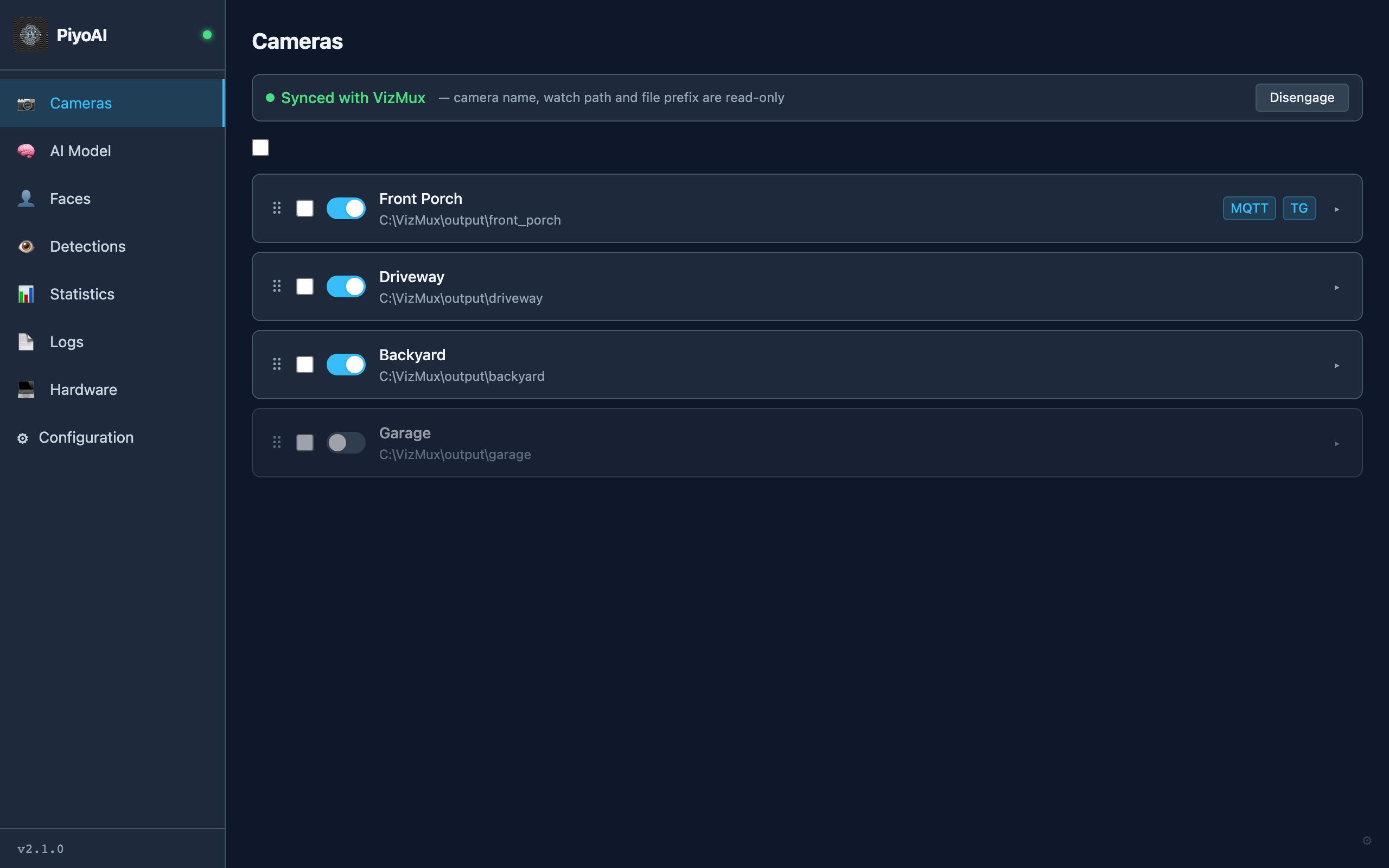
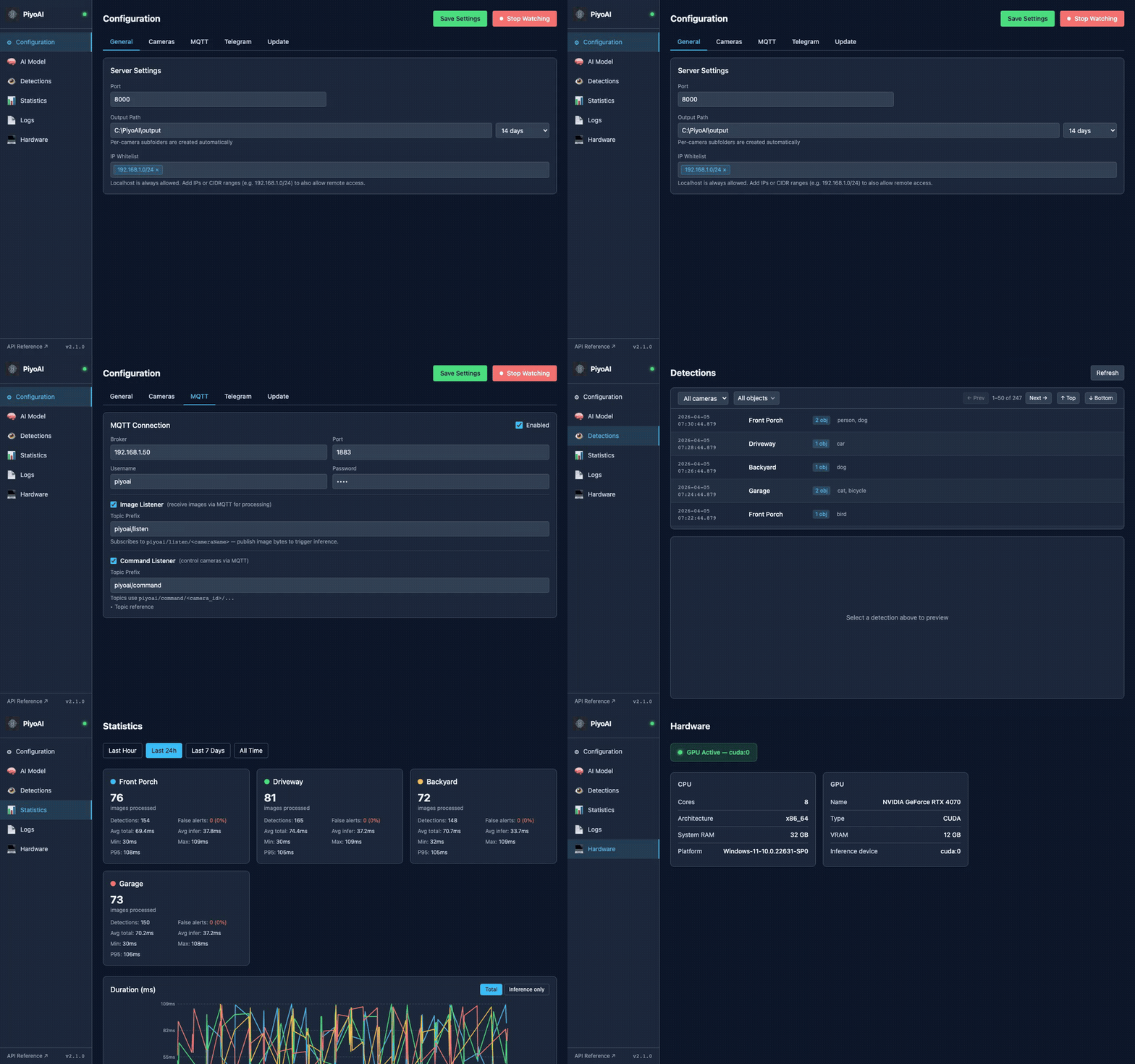
A dark-themed web UI built for monitoring and configuration. Manage everything from your browser.
Per-Camera Detection & Alerts
The Cameras page is your home base. Edit each camera for class filters, face recognition, MQTT/Telegram/HTTP notifications, and NVR record-on-detection triggers.
- Min object size % and schedule-aware detection params
- HTTP webhooks and Blue Iris / NVR record-on-trigger
- VizMux sync keeps camera names in lockstep
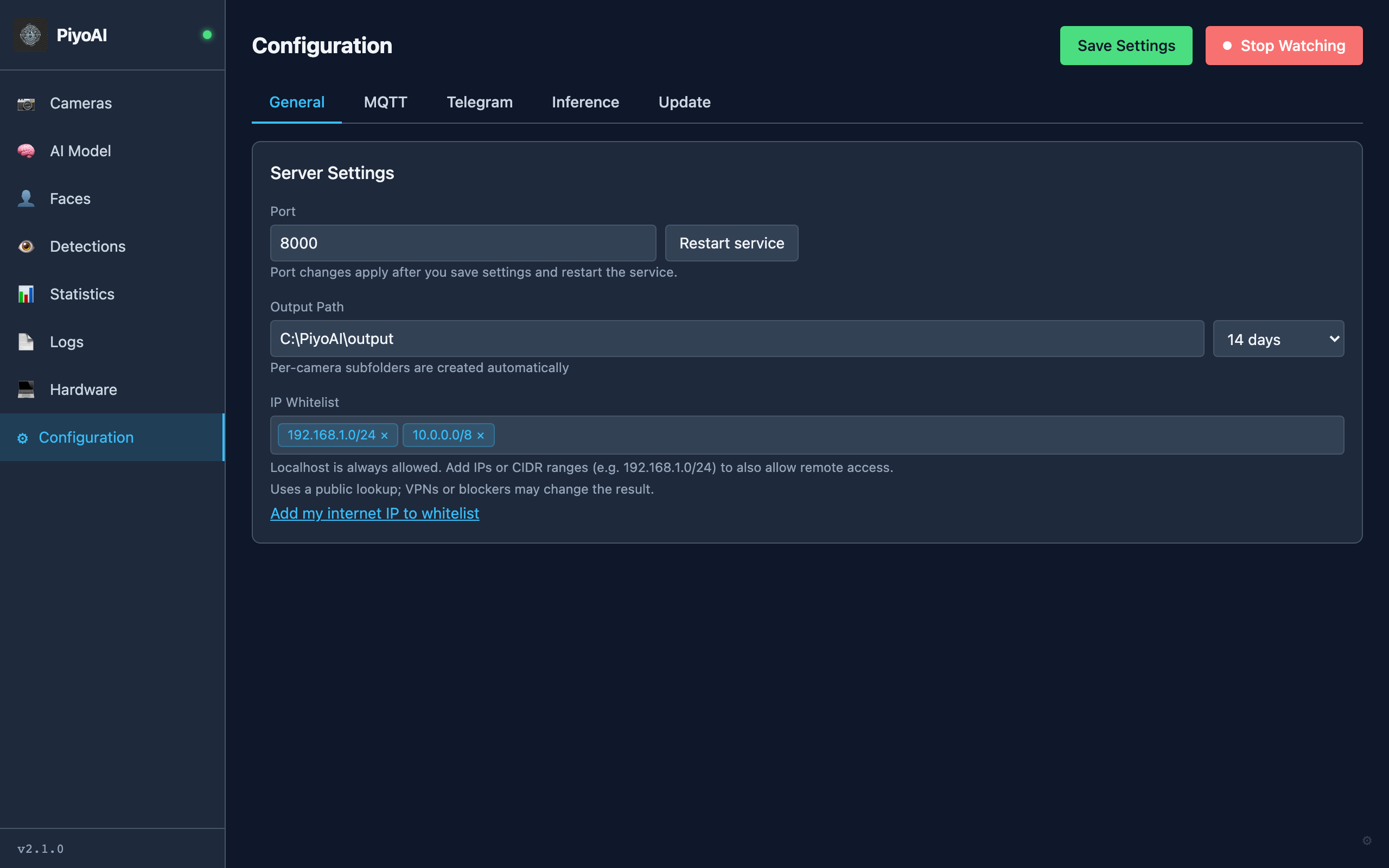
Cameras, MQTT, Telegram — One Place
Tabbed settings for server, cameras, MQTT notifications, Telegram bot, and updates. Each camera has its own class filters, confidence thresholds, and notification channels.
- Per-camera MQTT and Telegram notification setup
- VizMux sync with camera lockstep
- Start/stop watcher from the UI
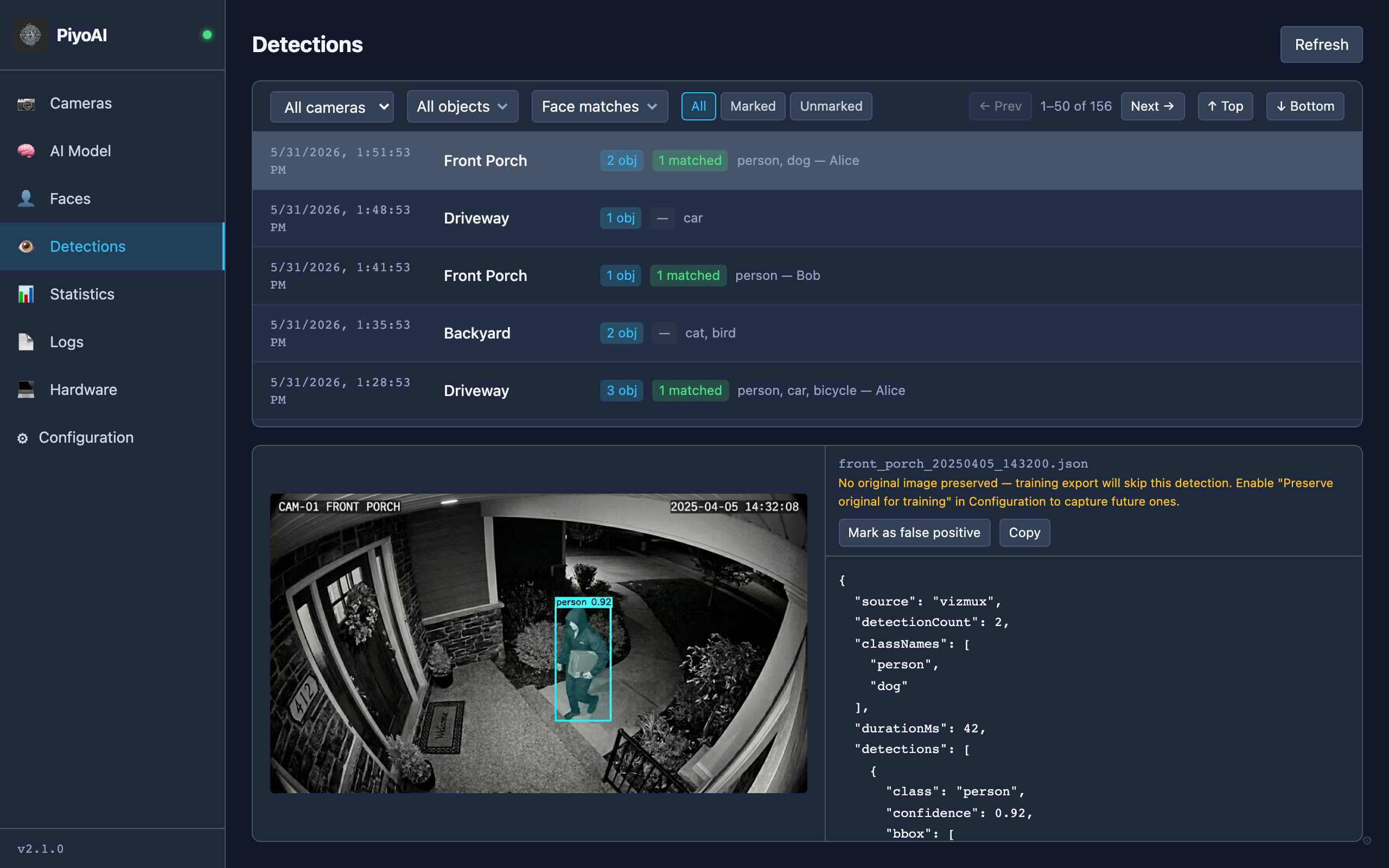
Every Detection, Searchable
Paginated detection history with camera and object class filters. Click any detection to see the annotated image with bounding boxes and confidence scores.
- Filter by camera and detected object class
- Annotated snapshot preview with metadata
- Copy detection JSON for automation
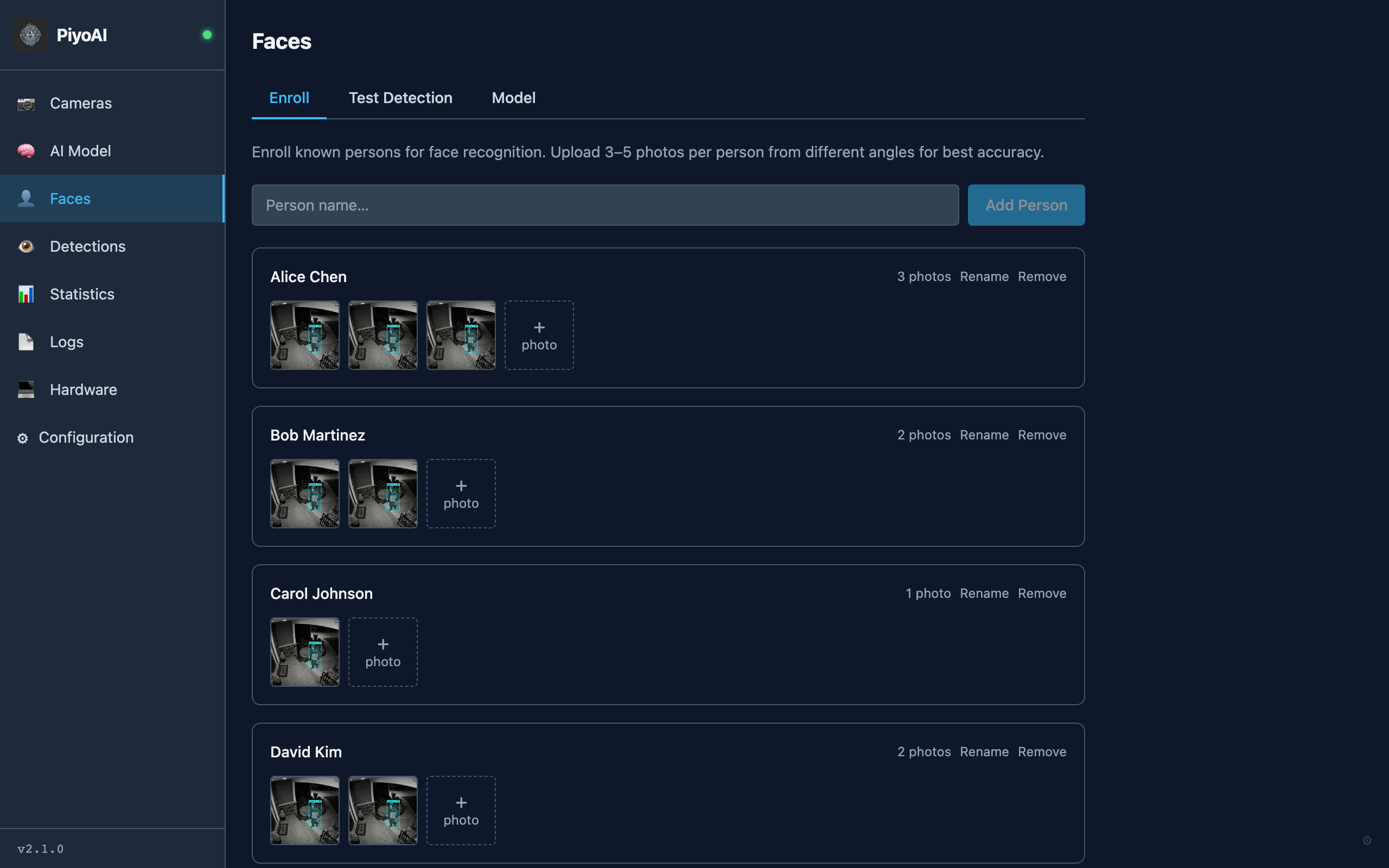
Recognize Known Faces, Not Just Objects
Enroll known people, run face detection tests, and use face recognition results in your monitoring and automation workflows alongside standard object detections.
- Face enrollment for known identities
- Test-detection tools to validate recognition quality
- Face-aware alerts and automations through existing MQTT/Telegram flows
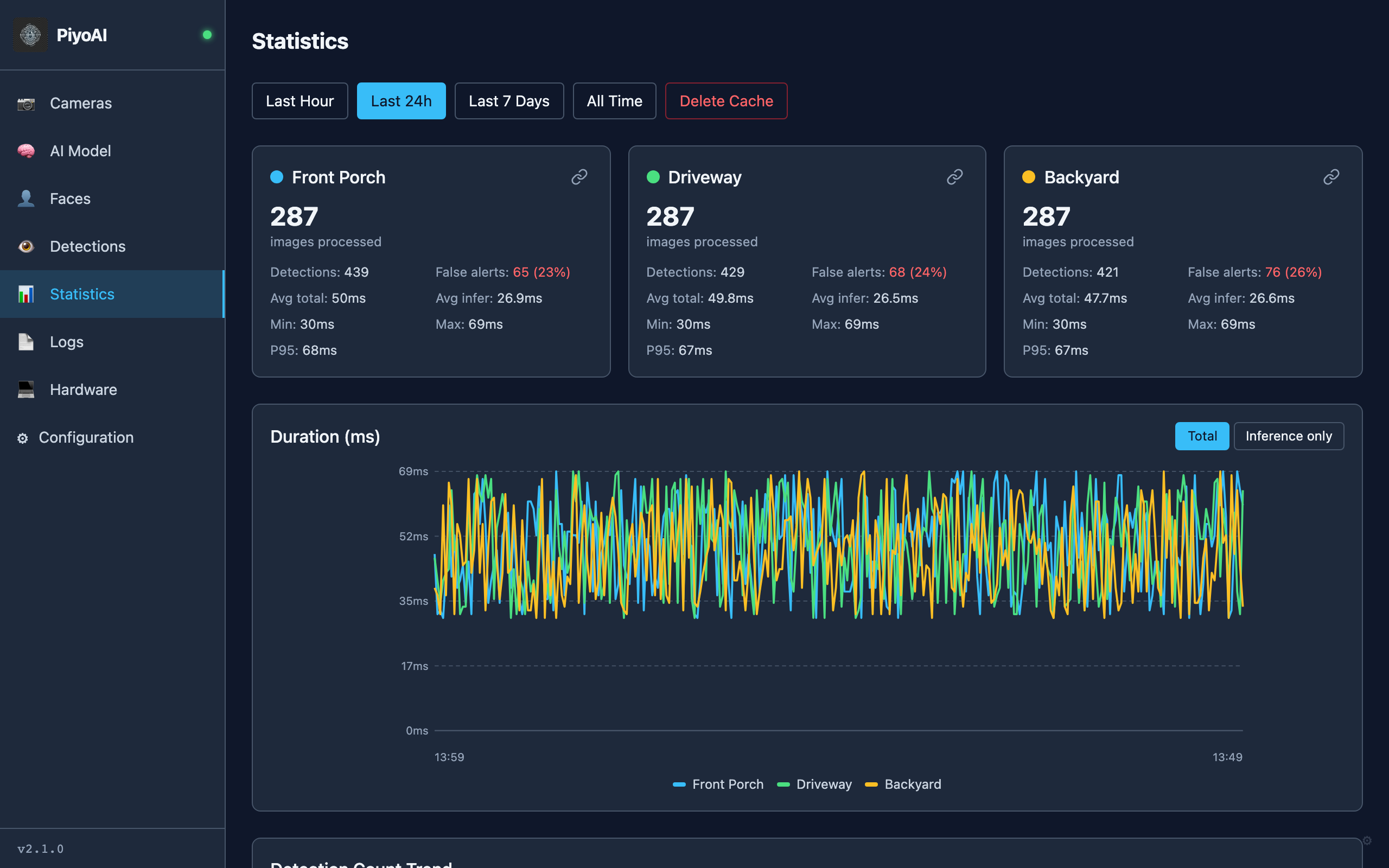
Performance at a Glance
Per-camera statistics with total processed images, detection counts, false alert rates, and inference duration charts — broken down by time range.
- Per-camera stats cards with P95 latency
- Duration time series chart (total vs inference)
- Time range filter: hour, 24h, 7 days, all time
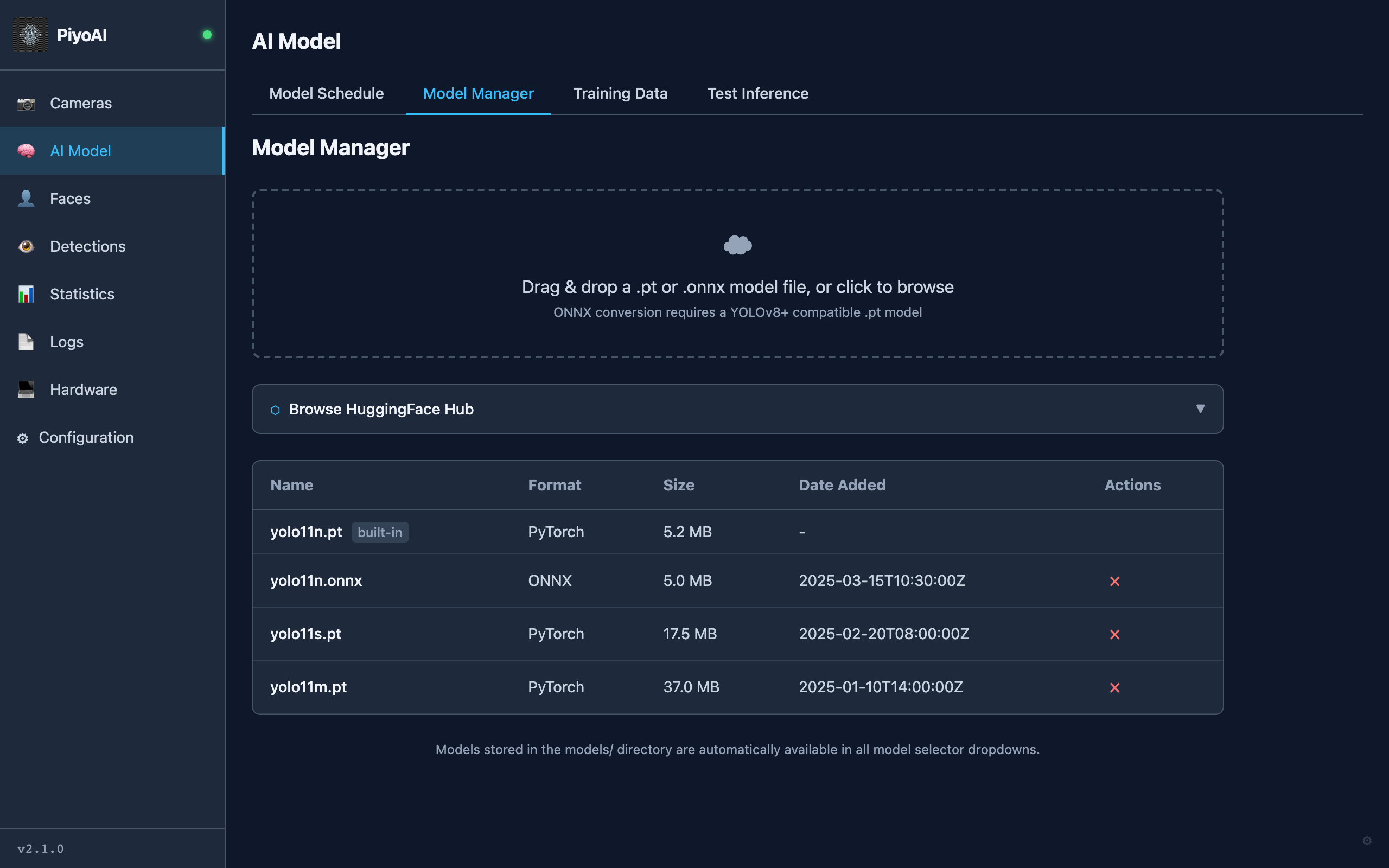
Bring Your Own Model
Upload custom YOLO models, search and download directly from Hugging Face Hub, and test inference right in the browser before deploying.
- Hugging Face Hub search and one-click download
- Test Inference: upload an image, see results instantly
- Model scheduling: different models by time of day
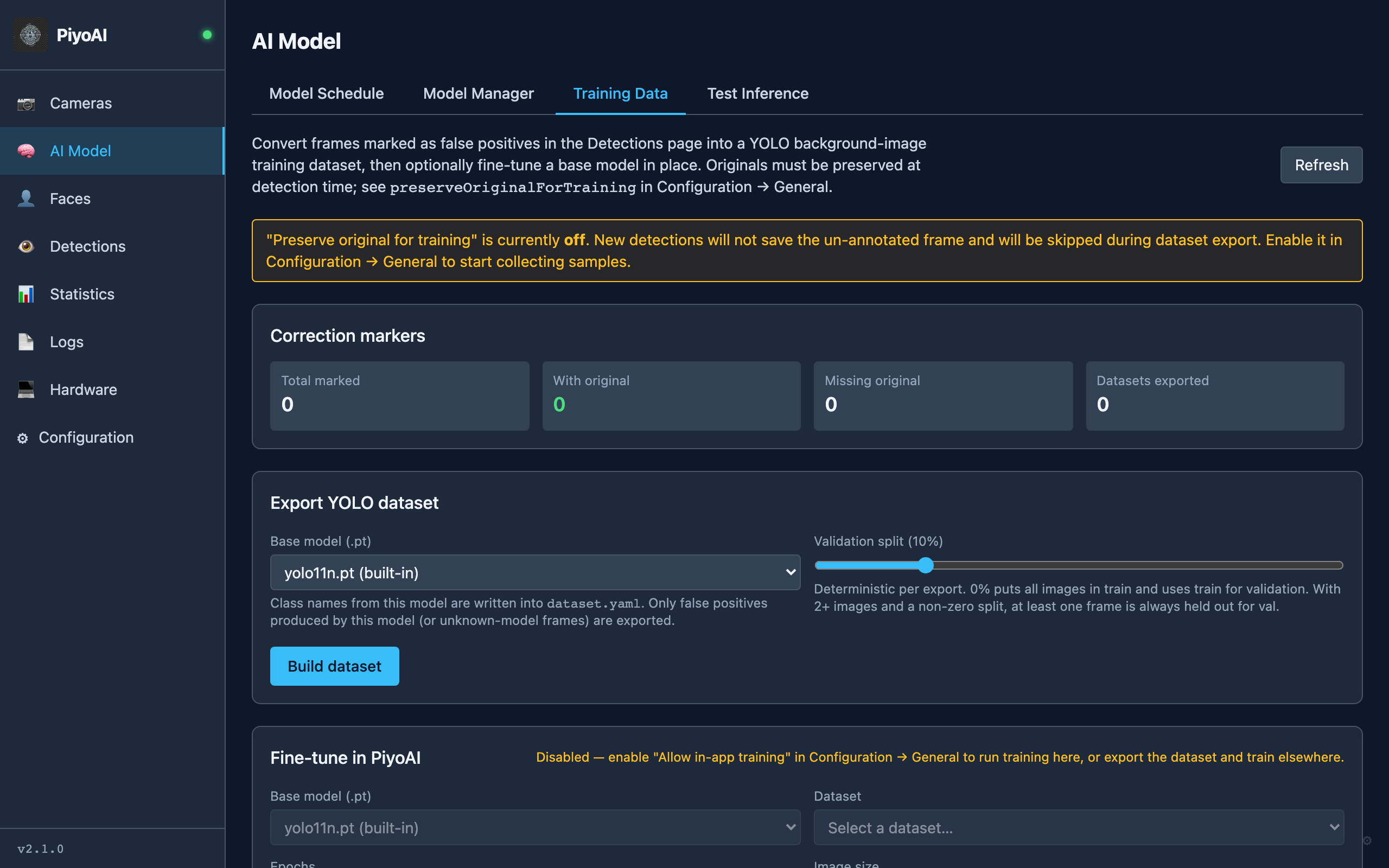
Learn From False Positives
Mark detections as false positives in the log, export a background-image dataset, merge datasets, and fine-tune a YOLO base model without leaving PiyoAI.
- Preserve originals at detection time for export
- Export, merge, and train from the AI Model tab
- CPU or GPU training with progress tracking
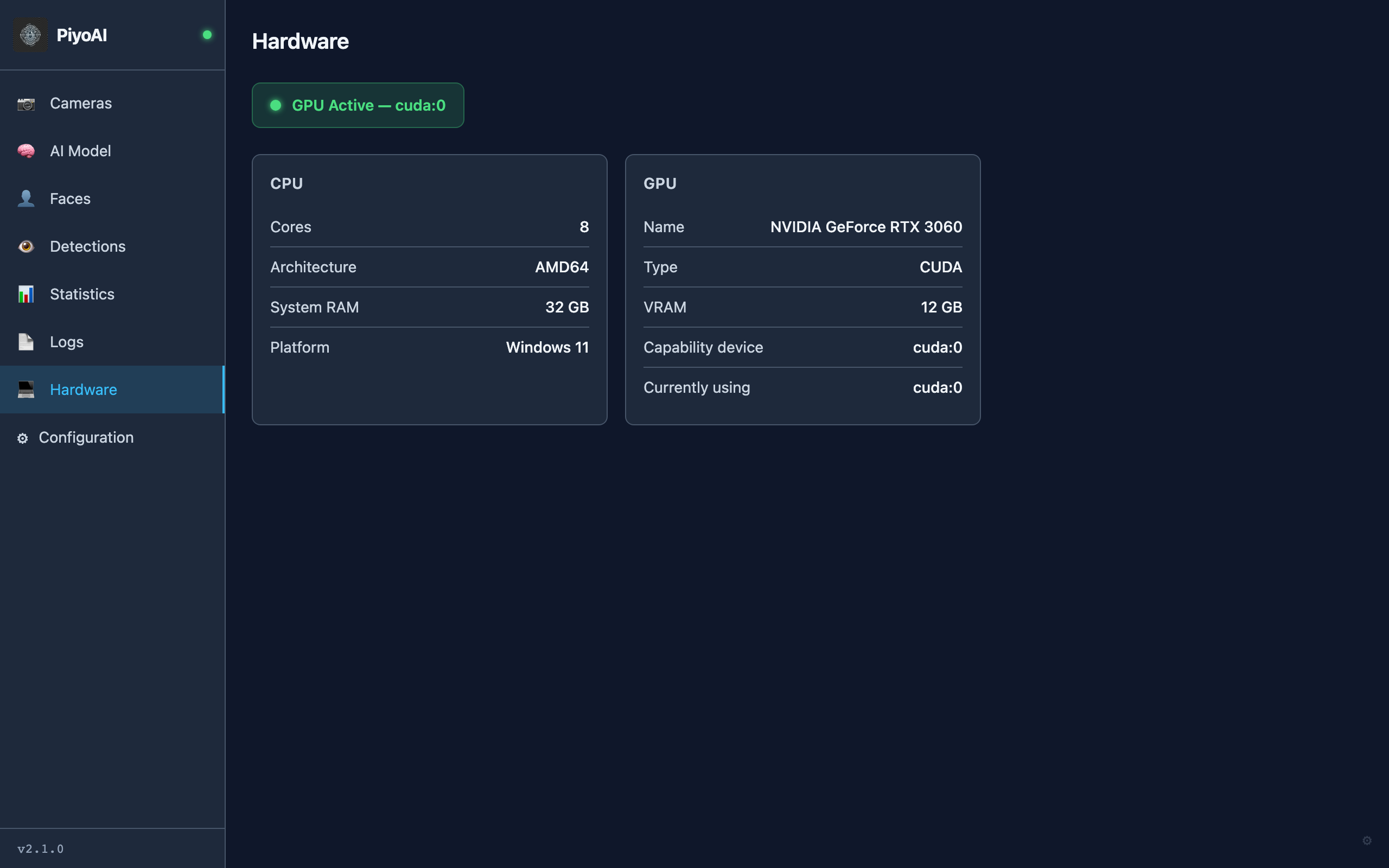
GPU-Accelerated When Available
Automatically detects your GPU and uses CUDA for faster inference. Falls back gracefully to CPU-only mode on machines without a GPU.
- NVIDIA CUDA GPU acceleration
- CPU/RAM/VRAM monitoring
- Works on Windows, Linux, and macOS
Take a Tour
Watch PiyoAI in action — from camera configuration to real-time statistics.
How It Works
Images come in, AI runs, alerts go out. Simple and reliable.
1. Camera Images
VizMux snapshots, MQTT, or folder watcher delivers images
2. YOLO Inference
PiyoAI runs object detection with GPU acceleration
3. Annotated Output
Bounding boxes, classes, and confidence saved to output
4. Alerts
MQTT and Telegram notifications with detection images
Runs in Home Assistant Too
HAPiyoAI is a free Home Assistant add-on that brings PiyoAI detections into your HA sidebar. Camera dashboard, detection log, and per-camera binary sensors — all integrated natively.
Learn about HAPiyoAI →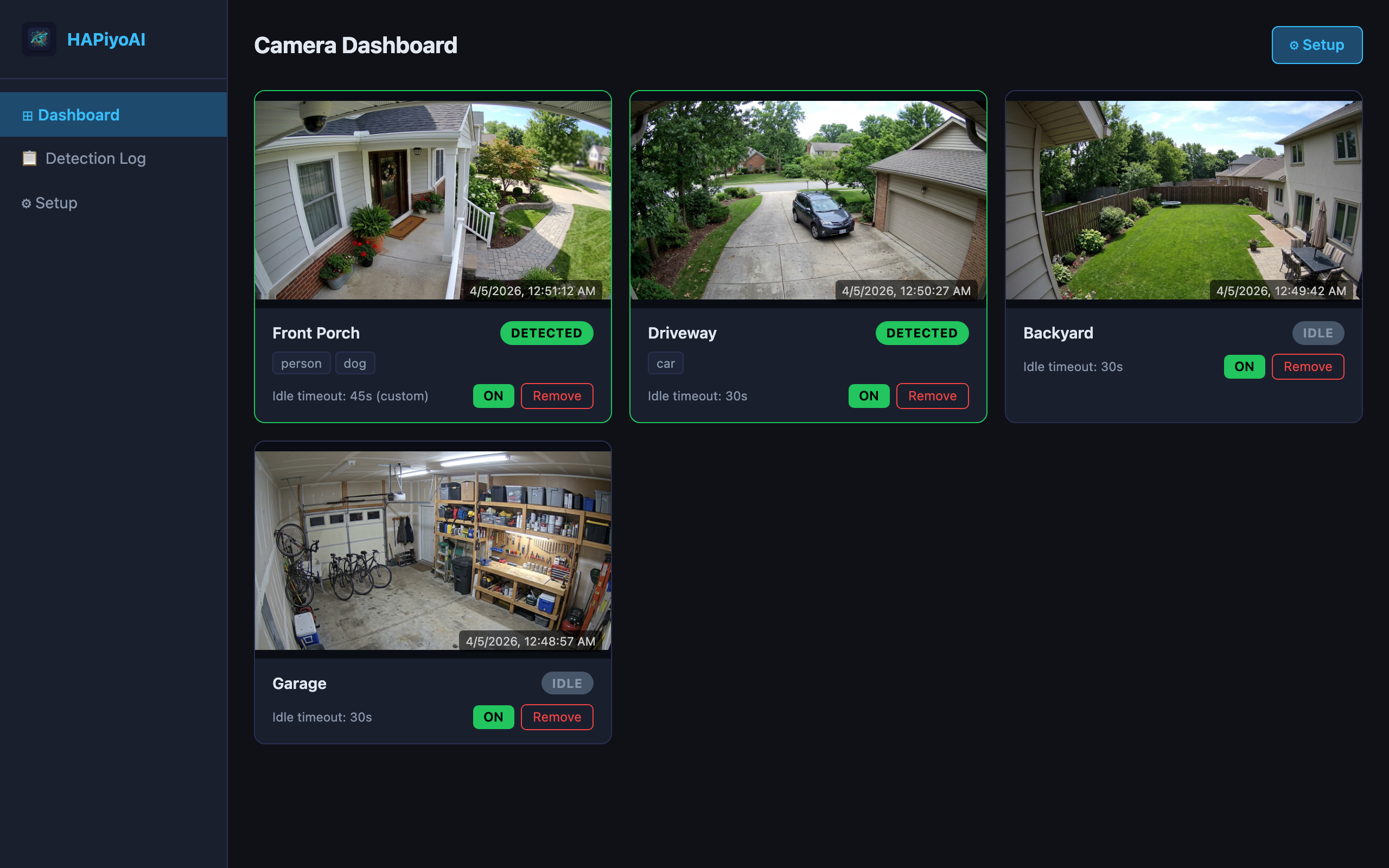
Ready to Get Started?
PiyoAI starts at *. Pair it with VizMux for the full motion + AI detection stack from *.
*Basic tier. See all tiers on the pricing page.