VizRec
Basic, reliable recording that pairs with VizMux — continuous segments, ring-buffer pre-roll, and on-demand clips when you need them.
Trigger recording from the UI, via MQTT, or from PiyoAI when an object of interest is detected. Scale out with multiple recorders on commodity hardware and add redundancy for critical streams.
VizMux stays focused on motion + snapshots; VizRec owns RTSP ingest and file output so your stack stays modular.
**Demo uses mock cameras and sample paths.
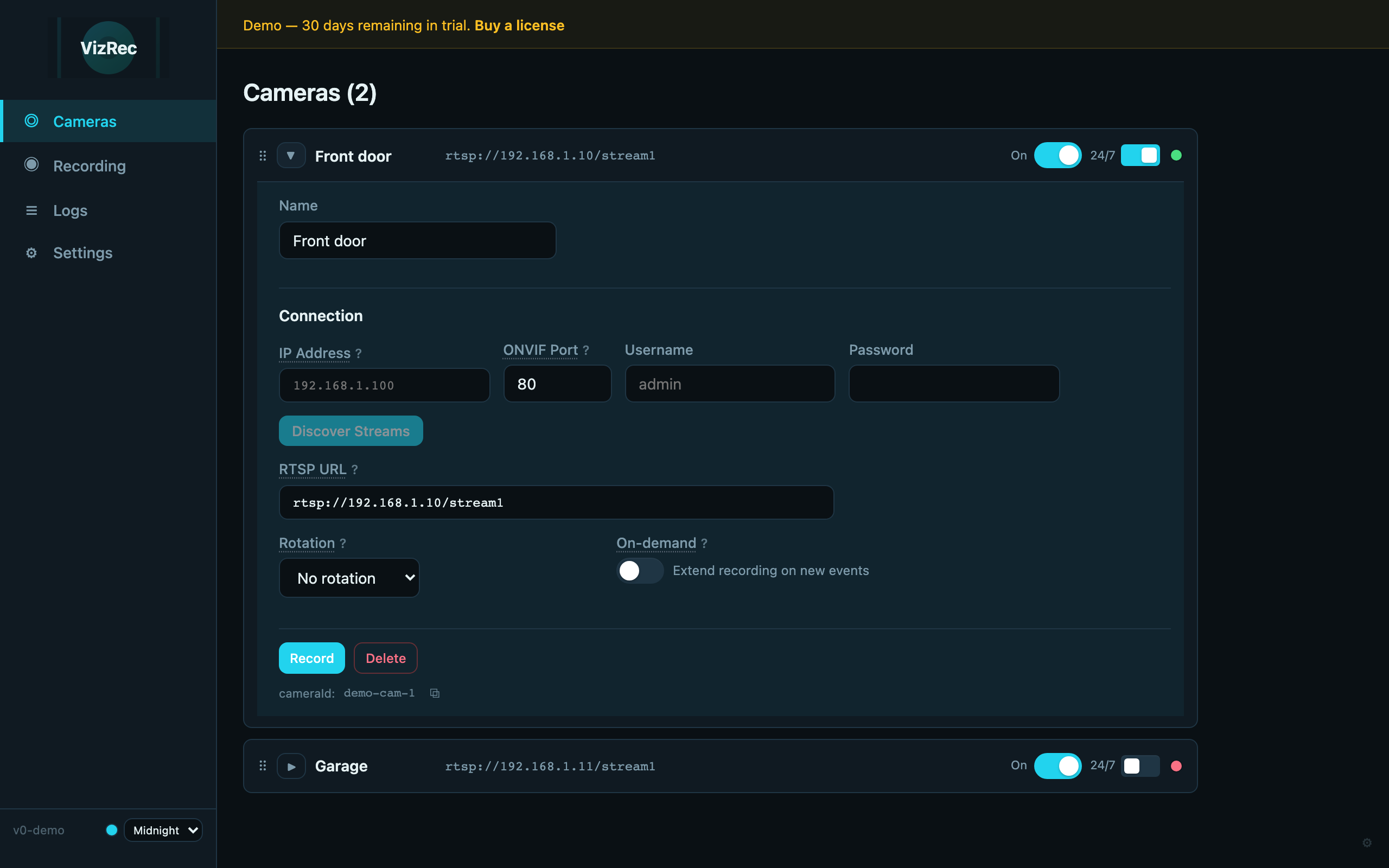
Built for Recording Ops
Keep VizMux lean for motion; add VizRec when you need segments on disk, MQTT triggers, and PiyoAI-driven clips.
On-demand & ring buffer
Configurable pre-roll and post-trigger windows so clips include context before and after an event.
MQTT triggers
Subscribe for on-demand record starts — integrate with Home Assistant, Node-RED, or your own publishers.
PiyoAI integration
When PiyoAI and VizMux are configured, VizRec can align with object-driven workflows for targeted recording.
Scale out on commodity hardware
Run additional VizRec instances to spread camera load across machines — no single choke point.
Redundancy-friendly
Overlap coverage or mirror paths where uptime matters — design your own failover story with multiple recorders.
Same stack as VizMux
IP allowlists, browser-first configuration, and operational logs — familiar ops if you already run VizMux.
See It in Action
The interactive demo mirrors the real UI. Below are the same mock screenshots used in /demo/vizrec.
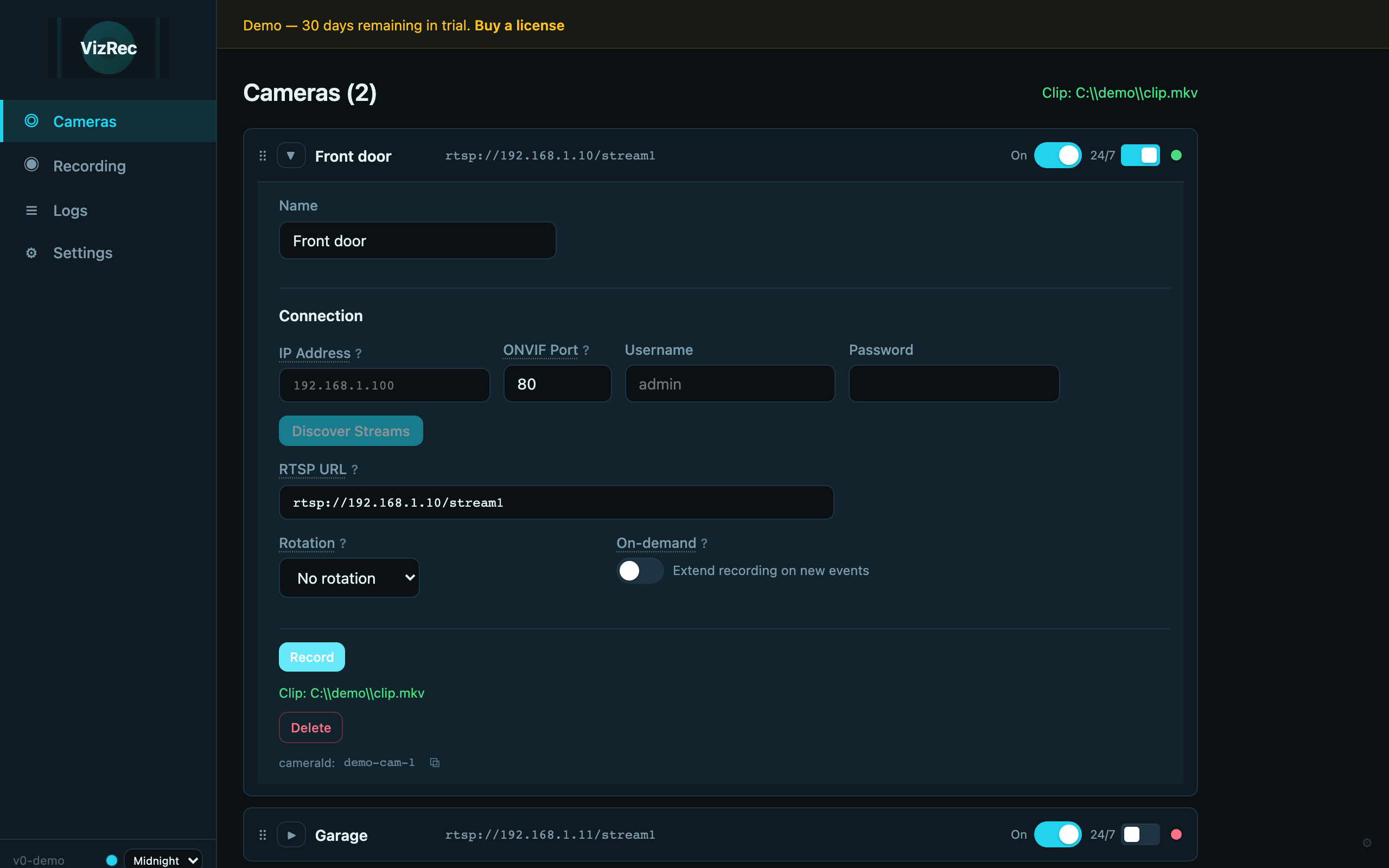
Trigger a Clip From the UI
Expand a camera, hit Record, and write an on-demand clip using your ring buffer and post-roll settings.
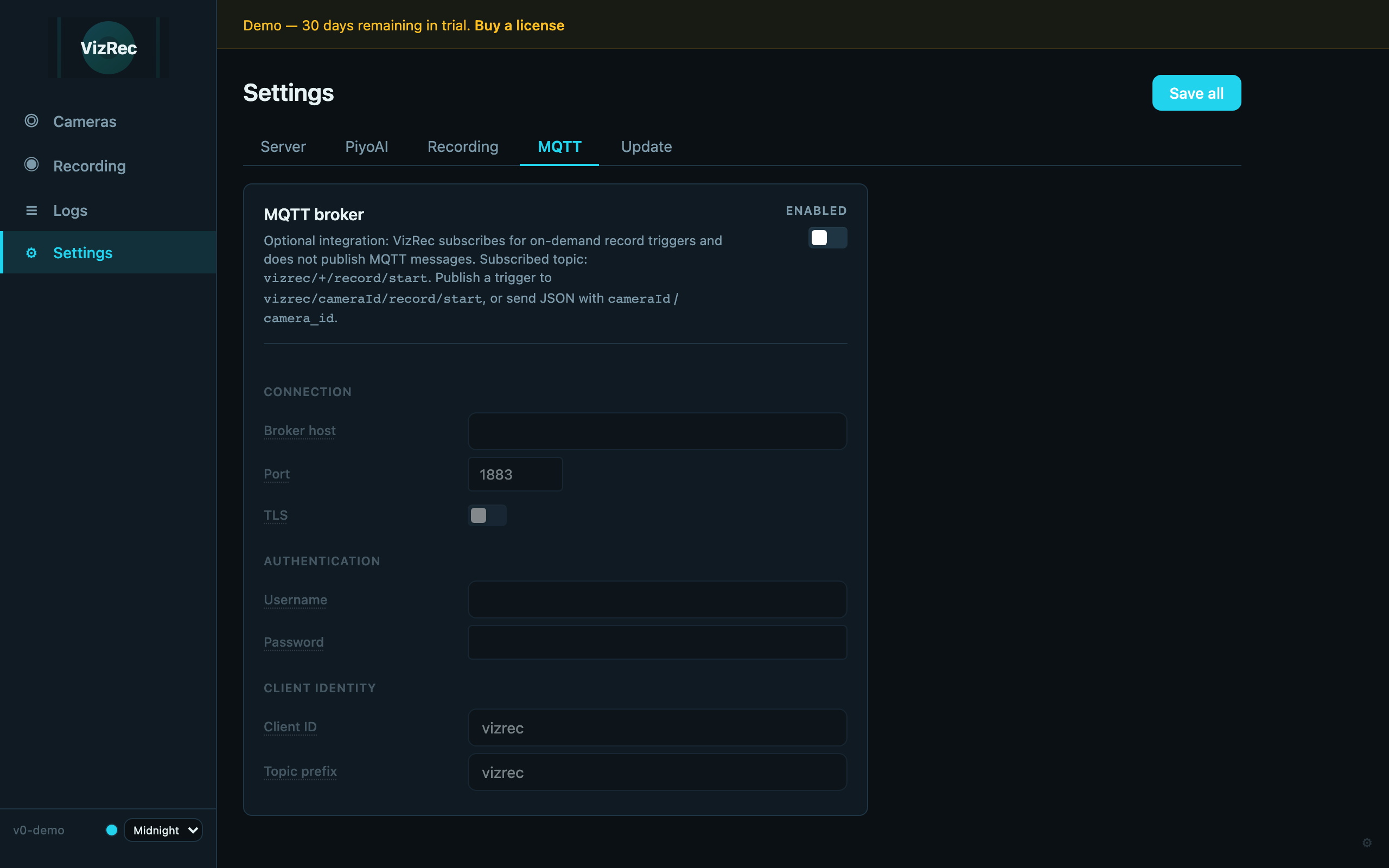
Subscribe for Remote Triggers
Point VizRec at your broker and topic prefix, then drive on-demand recording from automation without opening the UI.

Line Up With Detection
VizRec can reflect the PiyoAI endpoint shared from your VizMux / stack setup so recording stays aligned with your AI pipeline.
Learn about PiyoAI →Ready to Record?
Try the interactive demo, then visit pricing to add VizRec alongside VizMux and PiyoAI.